Strength logging, per side.
Single-arm and single-leg, logged per side.
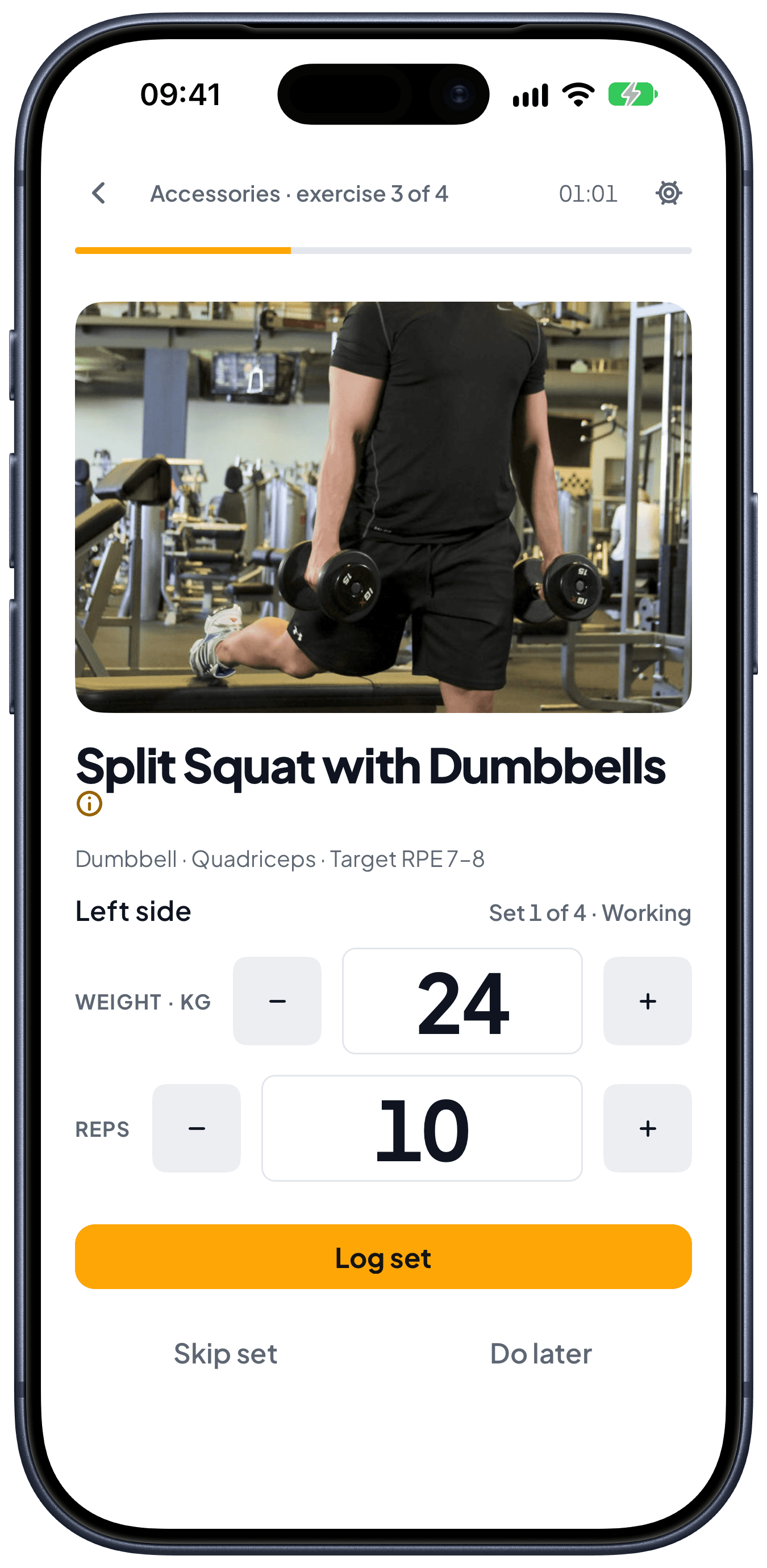
Single-arm press, single-leg squat, one side at a time. Left and right stay apart: Left 24×8 / Right 26×8, not a 25. Planned that way, logged that way, progressed that way.
Free to start. No credit card. No lock-in.
One number is not what you trained.
You pressed 24 kg on the left and 26 on the right. The log saved 25. Or you split the movement into two exercises (left press, right press), so the history would not mix, and now you keep two cards in line by hand.
That is not unilateral logging. That is a rounding, or that is admin.
A Bulgarian split squat is not two exercises pretending to be one. It is one exercise. Two sides.
What “unilateral logging” means here.
If the lift is single-arm or single-leg, each set is one side. There is no toggle. Four sets on the left and three on the right are four and three. Nothing pairs them. The order they run in is the order the routine lists them.
You can alternate side to side, or run one side all the way through and then the other. Rest between the sides is rest, not a workaround. A single-arm row and a Bulgarian split squat do not want the same answer.
Progression is per side too.
If the right earns its increase and the left does not, only the right goes up. The left is allowed to be behind until it is not. Nothing is averaged into a 25, and nothing is quietly doubled.
Last time sits next to the set you are on, on the side you are on. The next kilo is a fact, not a mean.
Weight is in kilograms. There is no pounds switch.
What this page is not.
It is not a program to “fix” a side. The log does not prescribe rehab. If one side is behind, you can see it. What you do with that is yours.
It is not the rest timer, not RPE, not session sections. Those live on Features (/en/features). This page is the side.
It is not the Hevy or Strong comparison either. If you are choosing an app, those pages are separate.
Where you use it.
Logging each side apart is free. Writing the sides into a routine, with the sets per side, the order and the rest, is Peak Health Premium. Then work through one screen at a time for the set you are on. One record on the server, whichever device you opened. Saving a set needs a network.
The phone app is in private beta on iOS and Android. Write to info@peakhealth.es for an invite.
Train it. Then read it back.
Free to start, on the web and on your phone.