Exercises and stats
Read your training, lift by lift.
Find an exercise in the catalogue, read how to do it, and see what you lifted last time. Your stats come only from the workouts you logged.
The exercise catalogue
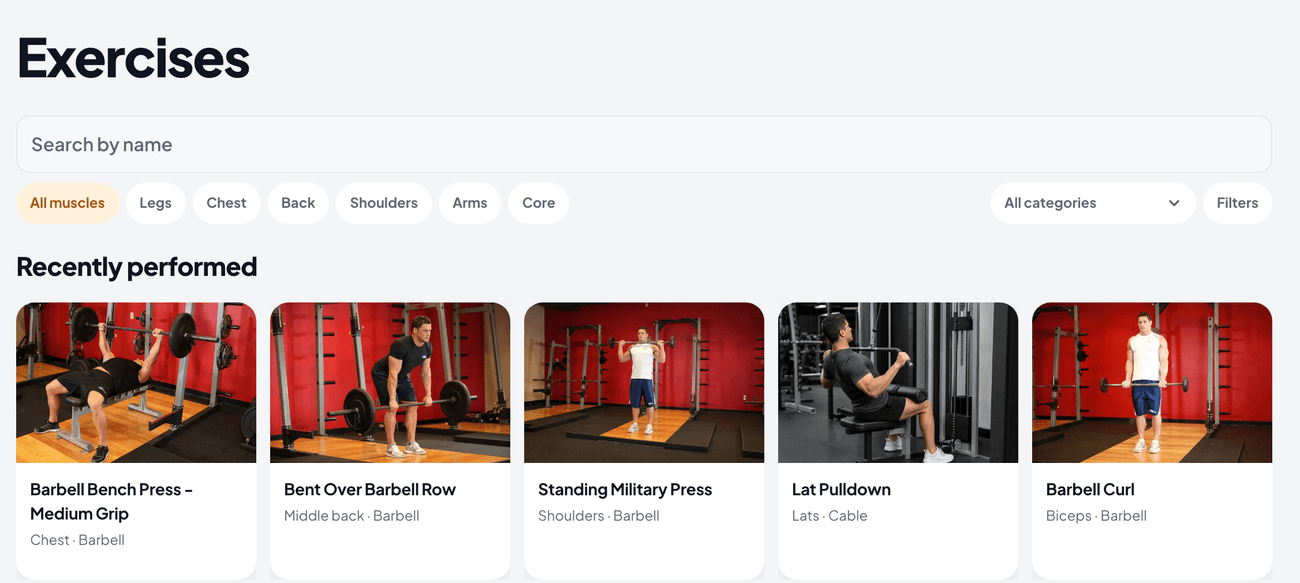
Exercises lists every movement in Peak Health. Search by name, or filter by muscle, category, level, mechanic, force, sides and equipment. Recently performed shows the exercises you trained last.
From an exercise, Add to routine puts it in one of your routines or in a new routine.
Ask for a missing exercise with Request this movement. If the catalogue has it under another name, Peak Health shows you that name and opens no request. For example, you type RDL and see Romanian Deadlift.
A public page for each exercise
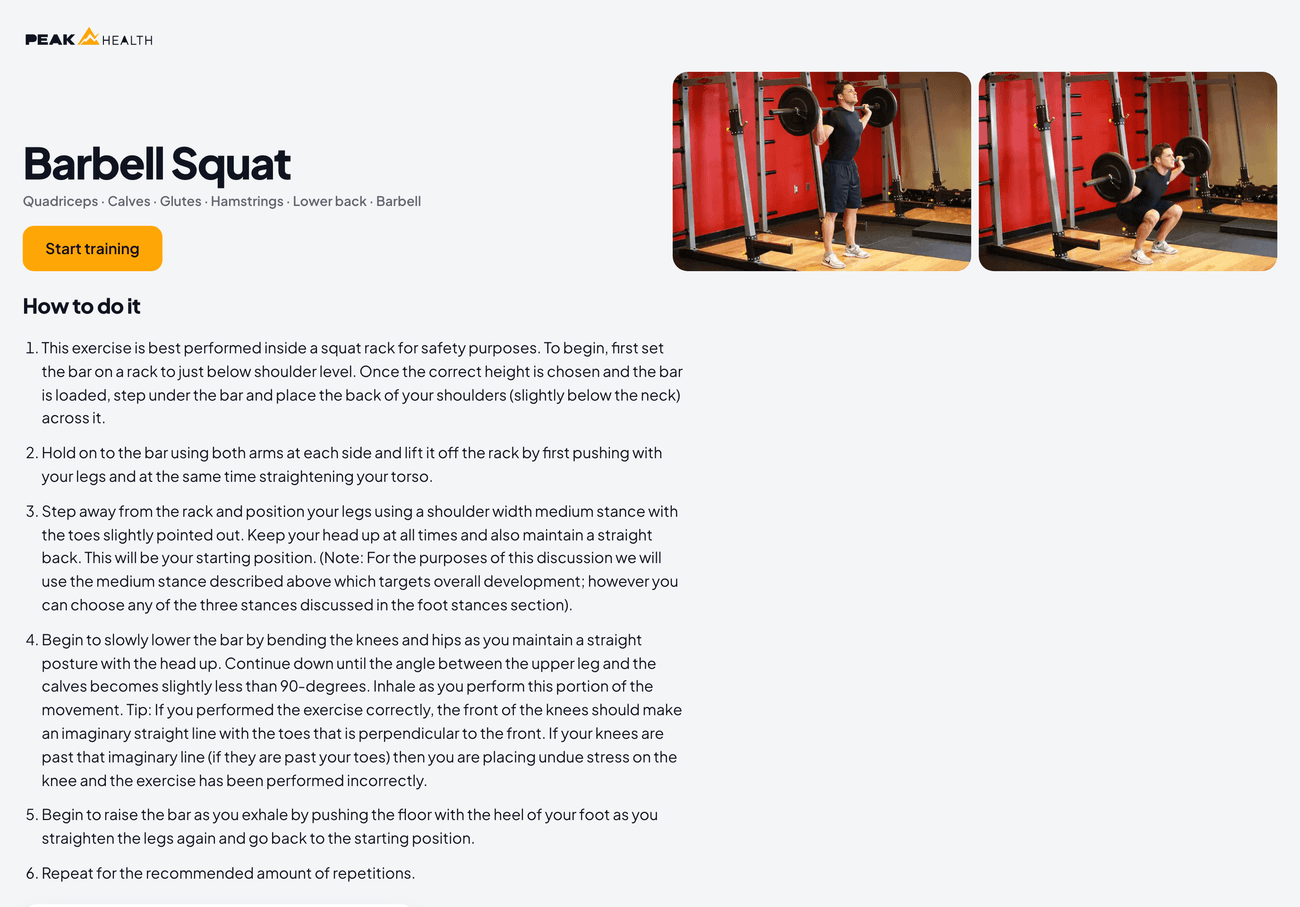
Each exercise has its own page that anybody can open, with no account. The page shows pictures of the movement, how to do it, the muscles it works and the equipment it needs. Search engines can find these pages too.
Each exercise: summary and history
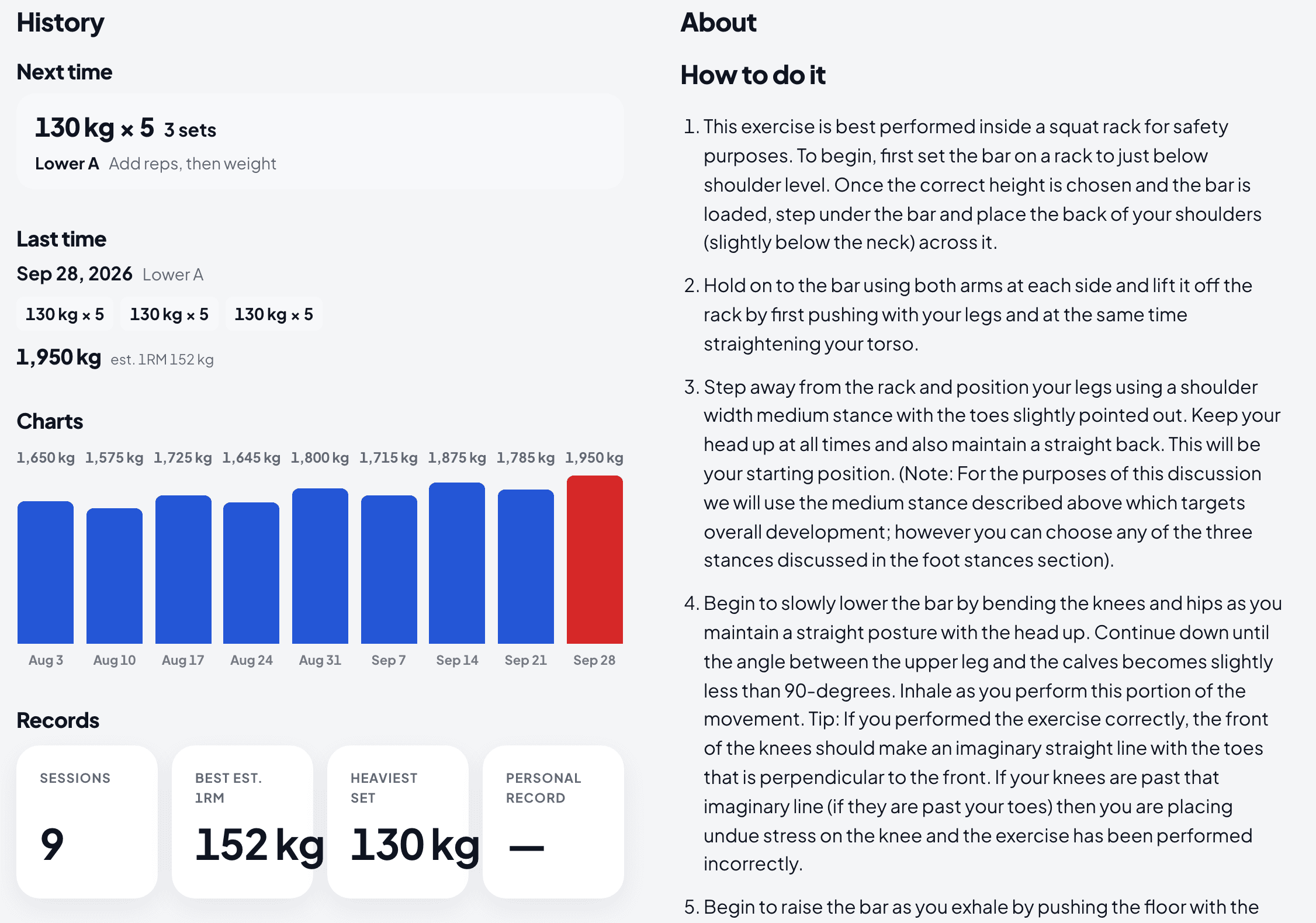
Open an exercise you trained. Next time shows what your routine plans for it, and Last time shows the sets you did. Records shows your best estimated 1RM and your heaviest set, or your best time and total time for a timed exercise.
Charts show the exercise across your sessions. Session history lists each session with the exercise, and opens its workout.
Your stats
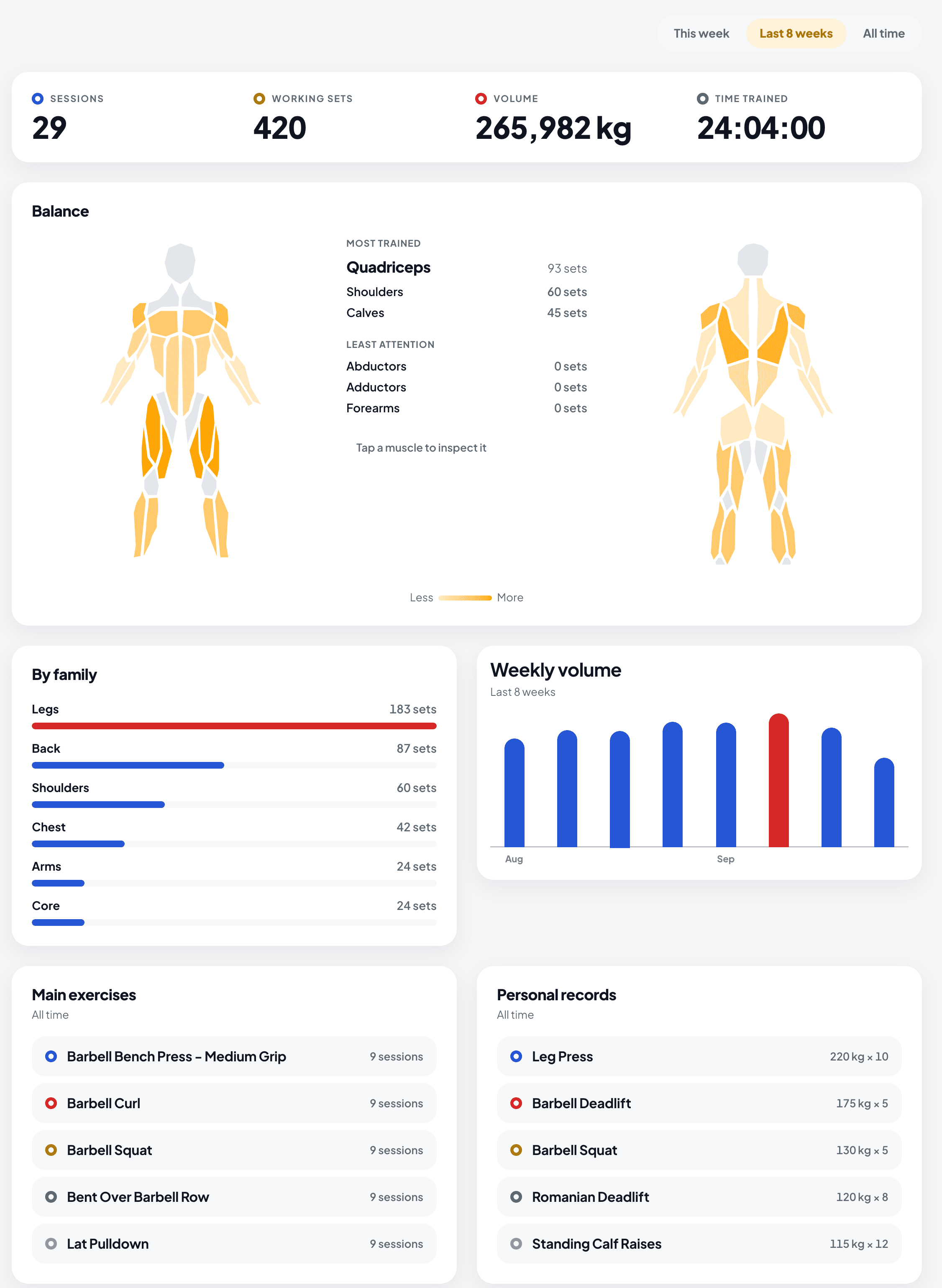
Profile reads your training for this week, the last 8 weeks or all time. It shows your sessions, working sets, volume and time trained, the balance between your muscles, your sets by family and your weekly volume.
Main exercises lists the movements you train most often. Personal records lists the heaviest set of each exercise.
The change from last time
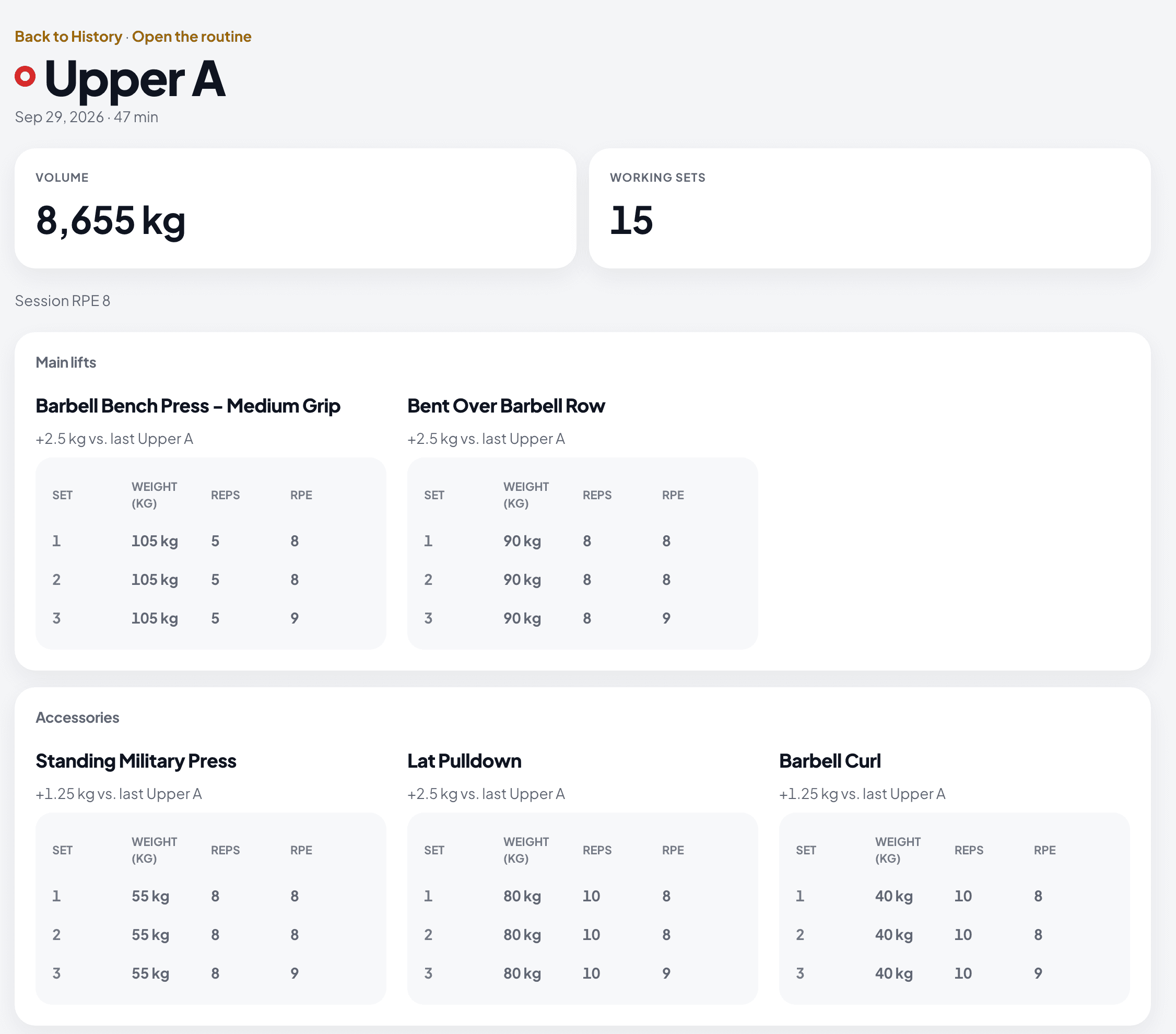
A finished workout shows a line beside each lift. It compares your heaviest working set with last time, in kilograms or in reps, or says Matched last time.
When you did the lift in the same routine before, the line compares with the last workout of that routine and names the routine.
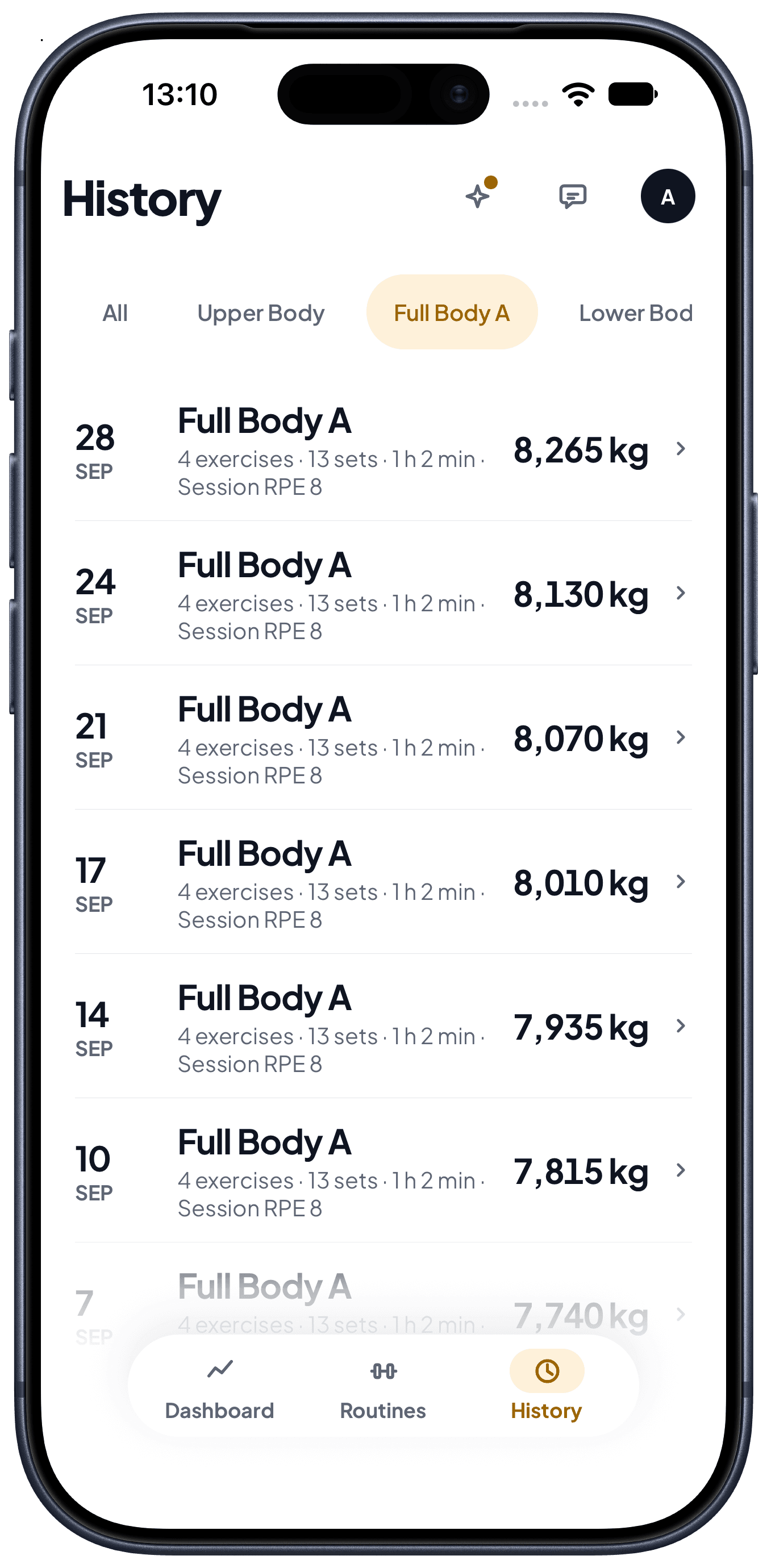
Filter History by routine
On the phone, the routine names at the top of History show the workouts of one routine only. All shows every workout again.
Try it against your own training.
Free to start, on the web and on your phone.